
Why MyQRGuide?
Why Brands Choose MyQRGuide After the Sale
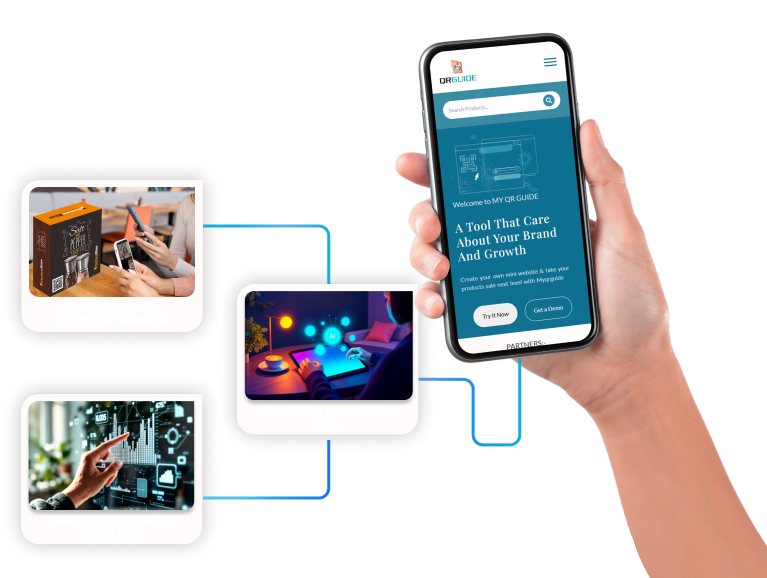
Most businesses invest heavily in creating and selling a product, but lose the direct customer relationship immediately after the purchase. MyQRGuide connects physical products and service locations to intelligent digital experiences through Smart QR™ — for guidance, support, warranty, loyalty, marketing and long-term growth.
See it in action
The Post-Purchase Platform, Explained
The video player loads only after you press play, so no third-party cookies are set beforehand.
The real comparison
One Product-Specific Experience Instead of Disconnected Tools
Dynamic QR tools, helpdesks, loyalty applications and marketing platforms can each solve part of the journey, but they normally work as separate systems. MyQRGuide connects the core workflows around the specific physical product the customer scanned.
A Typical Fragmented Setup
- A printed manual or separate PDF
- A QR-code generator
- A product page or basic website builder
- Email and WhatsApp for support
- A separate helpdesk
- A separate warranty form or spreadsheet
- A separate loyalty application
- A separate email-marketing system
- Separate analytics
- Marketplace messages that rarely create a direct customer relationship
The result is often a fragmented journey: customers search for instructions, contact the wrong channel, repeat information and receive different answers from different sources.
The MyQRGuide Approach
- Smart Guides for the exact product
- AI-assisted instruction manuals
- AI Product Expert™
- Live human chat
- Support tickets
- Warranty registration
- Loyalty and customer clubs
- Coupons, offers, upselling and cross-selling
- Email and WhatsApp re-engagement
- Product Intelligence and official, structured product knowledge
One product-specific destination, opened by one Smart QR™.
Basic QR-Code Generators Create Links. MyQRGuide Manages the Complete Product Experience Behind the Link.
The QR code is the entrance — not the product.
A generator points a code at a destination. MyQRGuide manages what lives at that destination: the guidance, service, warranty, loyalty and growth environment attached to that specific item.
Bring Your Core Post-Purchase Tools Into One Connected Experience
Stop sending customers between a PDF, a support email, a warranty page, an assistant, a loyalty application and an online store. MyQRGuide reduces dependence on separate systems by connecting the workflows that belong to the product itself.
One Smart QR™ Experience
“MyQRGuide helped us consolidate several post-purchase tools and simplify the way we support customers.” Customer attribution pending written approval
The experience can know:
Built Around the Product, Not a Generic Website Visitor
A normal website assistant knows the general company. The MyQRGuide AI Product Expert™ is connected to the specific product the customer scanned.
The customer does not receive generic company support. They enter an experience designed around the exact item in their hands.
Turn Official Product Information Into AI-Ready Knowledge
MyQRGuide's patent-pending AI Knowledge Engine™ structures manuals, specifications, videos, FAQs, warranty information and support procedures into an official product knowledge environment.
When product information is published in a structured and crawlable format, MyQRGuide helps AI-powered search and assistance systems more easily discover, understand and reference the brand's official product knowledge.
Help AI systems learn from your official product information instead of relying only on marketplace listings, random websites or outdated answers.
One structured knowledge environment for:
Create Better Product Manuals Without Starting From Zero
Upload what you know about the product, and MyQRGuide helps turn it into a structured, multilingual and interactive product guide.
MyQRGuide can create a manual from product details or improve one you already have — organizing information, simplifying difficult instructions, adding images and videos, building troubleshooting sections and FAQs, translating the guide, converting static content into an interactive experience, and preparing the approved information for the AI Product Expert™.
Important: AI-assisted output is a starting point, not a compliance guarantee. Technical, safety, regulatory and legal information must be reviewed and approved by a qualified person before publication.
From raw information to a living product guide
Automation and Human Service, Working Together
MyQRGuide does not force businesses to choose between automation and human service. Customers can begin with self-service or AI assistance and reach a real support representative when needed.
The complete customer-facing service environment
MyQRGuide can act as the full service manual and support environment for a product — from the first question to a real person, without the customer ever leaving the experience.
- Digital guides and Smart Guides
- Troubleshooting
- AI Product Expert™
- Live chat
- Support tickets
- Phone support
Turn a support interaction into a long-term relationship
Most support systems focus on closing tickets. MyQRGuide focuses on what happens afterward — the point where Support becomes Sell. After helping the customer, the business can invite them to:
Build a Relationship That Continues After Support
Warranty becomes a relationship, not only a form
Warranty registration should not be the end of a form. It is the beginning of a direct relationship between the customer and the brand. After registration — and subject to customer consent — the business can provide:
- Product updates and support
- Warranty documentation
- Maintenance reminders
- Loyalty benefits and member offers
- Accessories, replacements and relevant offers
Update the experience without reprinting packaging
Print the Smart QR™ once and keep improving what sits behind it — manuals, videos, FAQs, warranty information, support options, translations, offers and product recommendations.
Dynamic QR tools also offer editable destinations, so the difference is not simply that the link can change. The difference is that MyQRGuide manages the complete product environment behind the code.
Understand What Customers Need After the Sale
A basic QR tool reports that someone scanned. MyQRGuide helps explain what the customer needed after scanning.
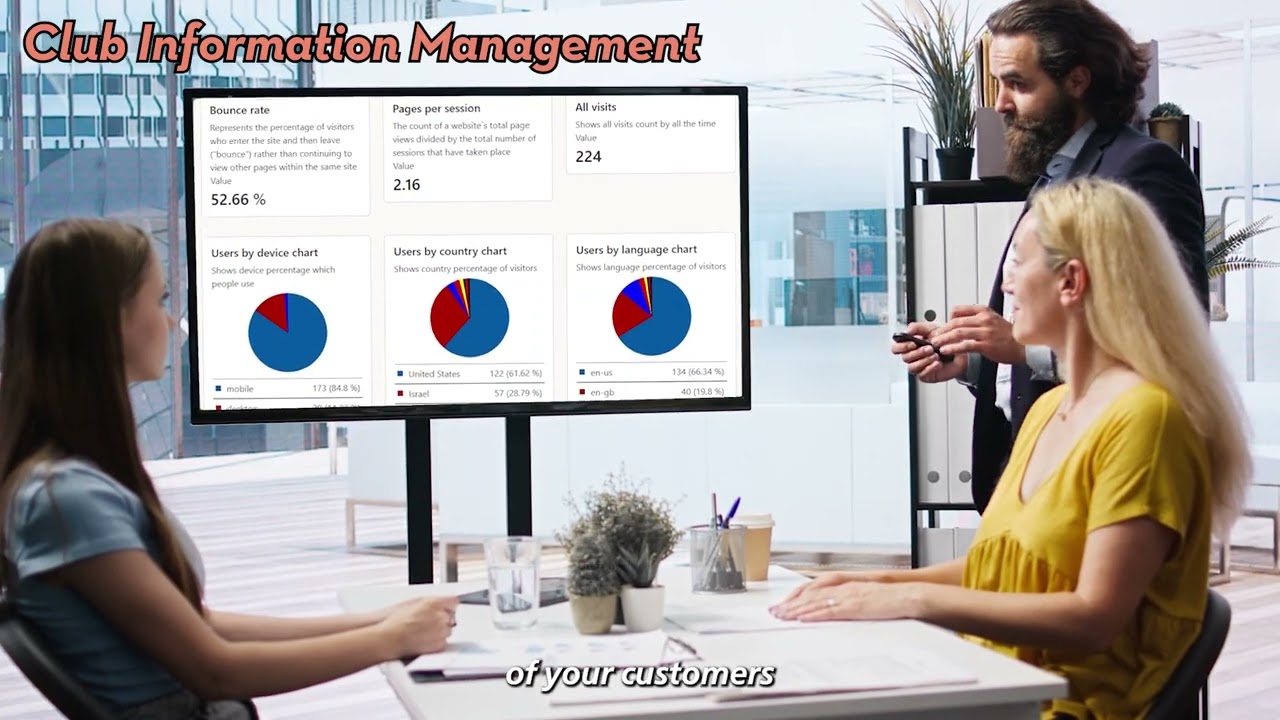
Standard scan analytics show counts, times and devices. Product Intelligence adds the interactions that belong to the product journey, so the data describes customer needs rather than traffic.
Product Intelligence can show:
Global by design
Designed for Global Products
One product can serve customers across different countries and languages — without printing a separate large manual for every market.
Support has to cross borders with the product. MyQRGuide manages the content digitally, in the customer's own language, from one platform.
Not Only Products — Service Businesses Too
MyQRGuide connects physical products and service locations. A hotel room, a clinic, a restaurant table, a construction site or a real-estate project can carry a Smart QR™ just as easily as a product box — and both tracks run on the same engine and the same Patent-Pending AI Knowledge Engine™.
For physical products
Every product gets its own Smart QR™ experience — guide, warranty, AI and live support, upsell and loyalty, all from one scan.
Built forFor service businesses
Turn any physical location into a connected customer experience — bookings, pricing, reviews and live support, from one scan.
Built forScan. Book. Get paid.
Booking & WhatsApp
Accept bookings and inquiries instantly through the channel customers already use.
Seamless payments
Take payment for a service directly on the page, without sending the customer elsewhere.
Live Q&A agent
AI or a real team member replies to clients — the same automation-plus-human model used for products.
Warranty & service tracking
Registration and tracking for service work, just as products use it after a sale.
What a service site can include
Available now
Why both tracks live on one platform
A service business has the same problem a product brand does. The relationship should not end when the job is finished, the room is booked or the meal is served — it should continue through support, follow-up, reviews, loyalty and the next booking.
The same Smart QR™ engine, the same AI Product Expert™, the same live chat and ticketing, the same customer clubs and the same intelligence layer — pointed at a location instead of a package.
Available sections and capabilities depend on the selected plan and account configuration. The pricing page is the official source for current inclusions.
Solution pages
The Capabilities Behind One Smart QR™
These pages are the official URLs for each capability. Knowledge Center articles explain them. Help Center shows how to set them up.
Post-Purchase Platform
MyQRGuide is a post-purchase customer experience platform: one Smart QR™ opens guides, AI and live support, warranty, loyalty, marketing, and Product Intelligence for a product or service location.
Smart QR
A Smart QR™ should open the right Product Experience for the item in the customer’s hands or the location they are standing in — guides, support, and warranty, not a generic homepage.
AI Knowledge Engine
MyQRGuide’s patent-pending AI Knowledge Engine™ structures approved manuals, specs, FAQs, and warranty copy so customers and AI systems can use the brand’s official product knowledge.
Warranty Registration
Warranty registration on MyQRGuide is included on Free. It confirms the product the customer owns and can start a consented relationship for support and updates — not only a form.
Product Intelligence
Product Intelligence is about scans, guides, support, and warranty on the Product Experience you operate. MyQRGuide does not receive the marketplace’s buyer list, and it does not invent conversion percentages.
Smart Guides
Smart Guides are living product manuals on the Mini Site. They can be updated after the product ships. PDF upload or export is optional where the plan and settings allow it.
AI Product Support
AI Product Expert™ answers from approved product knowledge and can escalate to live chat, tickets, or a person. Automation and human service work on the same Product Experience.
Marketing & Loyalty
Help first, then offer a relevant next step. Loyalty clubs, coupons, and messages sit on the same Product Experience as support and warranty, and they follow customer consent.
Who it is for
Audience and comparison pages
Commercial-intent URLs for marketplace sellers, manufacturers, and service businesses — plus two comparisons of what MyQRGuide is not.
Marketplace Sellers
After a marketplace checkout, a Smart QR™ on the product can open the brand’s own Product Experience — guides, support, and warranty — inside that marketplace’s policies, privacy rules, and the customer’s consent.
Manufacturers
Manufacturers and private-label brands can put a Smart QR™ on the product they ship so customers get living Smart Guides, support, and warranty registration — without reprinting the insert for every correction.
Service Businesses
A Smart QR™ at a physical service location can open hours, how to book, aftercare, and support — the same Product Experience pattern used for boxed products, not a mix of paper signs and outdated PDFs.
QR vs Platform
A QR generator encodes a destination. A post-purchase platform is what the customer uses after the scan: living guides, support, warranty, loyalty, and Product Intelligence on one Product Experience.
PDF vs Smart Guide
A PDF is a snapshot of the manual on the day it was exported. An interactive Smart Guide can be updated after the product ships. PDF upload or export is optional where the plan and settings allow it.
Public examples
Live Mini Sites appear only after the brand opts them into discovery. Product schema stays on those sites.
Start free. Scale when you are ready.
Explore the Experience for Free. Upgrade to Manage the Complete Relationship.
Create and test your first product experience
The free dashboard is designed to help a business get hands-on with the platform before committing:
- Create and test an initial product experience
- Build a basic digital product guide
- Add initial product information
- Understand the customer-facing journey
- Evaluate whether MyQRGuide fits the business
The free account is a starting point for exploring and testing — it is not intended as the complete operational after-sales platform.
Manage the complete post-purchase relationship
Depending on the selected plan, paid accounts can access broader capabilities:
- Multiple products
- Advanced product guides
- AI-generated manuals
- AI Product Expert™
- AI Knowledge Engine™
- Warranty registration and management
- Live chat
- Support tickets
- Customer clubs and loyalty
- Coupons
- Upselling and cross-selling
- Email and WhatsApp re-engagement
- Product Intelligence
- Advanced analytics
- Multilingual experiences
- Team and business-management capabilities
Feature availability and usage limits depend on the current plan and account configuration. The pricing page is the official source for current inclusions.
The complete post-purchase platform
One Smart QR™. The Complete Experience Behind It.
Connect product guidance, AI and live support, warranty, loyalty, post-purchase marketing and Product Intelligence in one product-specific destination.
No credit card required to start. Upgrade only when you are ready.